
Presented as a supportive practice tool, not a guaranteed medical fix or replacement for professional care.
Daily lazy-eye training delivered through short, interactive mobile sessions. 
EyeAlign Quest
Interactive vision therapy sessions designed to make daily lazy-eye practice feel clear, structured, and easier to stick with.
Public app iPhoneiPad
Download 
Get EyeAlign Quest for iPhone and iPad.
Use the official App Store badge or scan the QR code to open the product page on iPhone or iPad.
Media
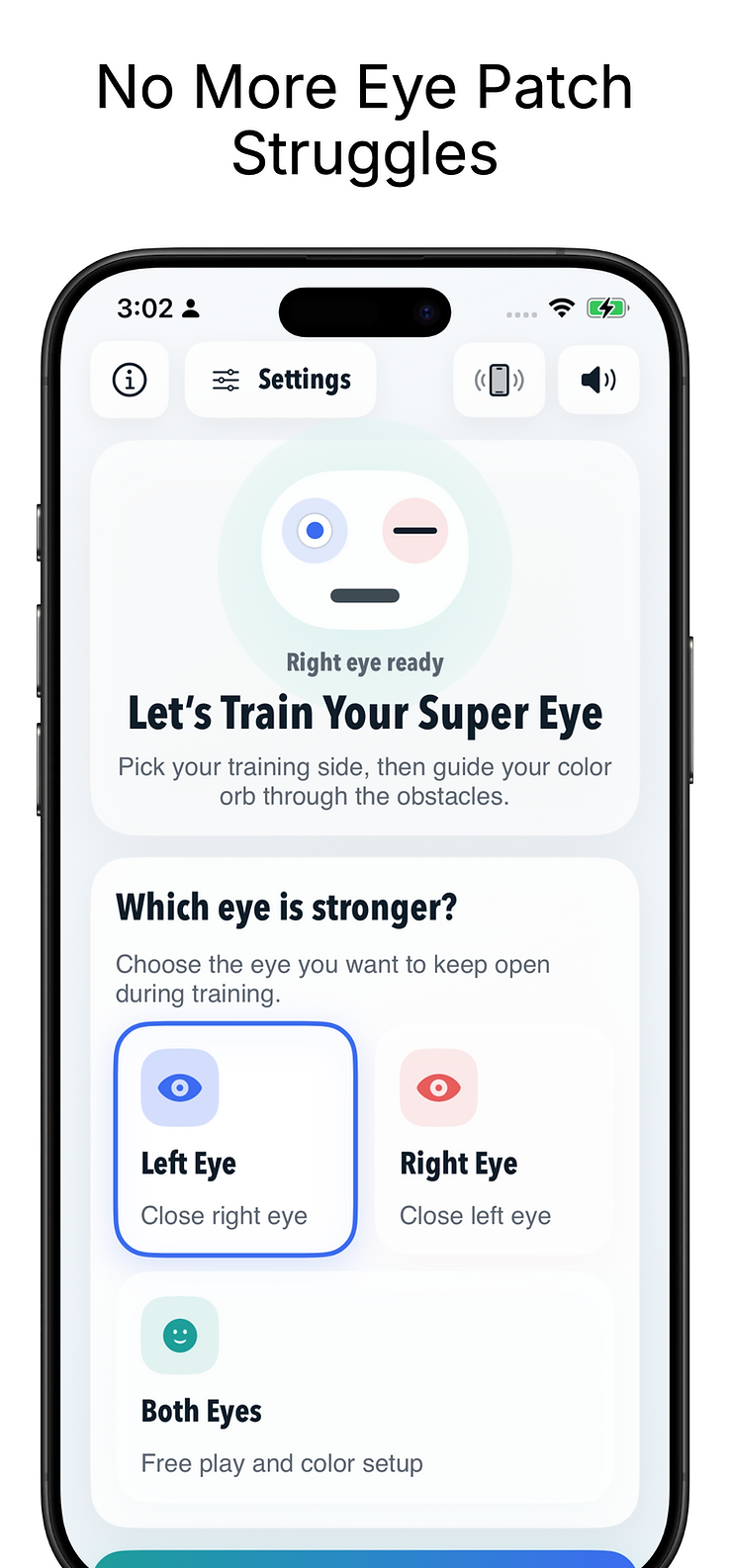
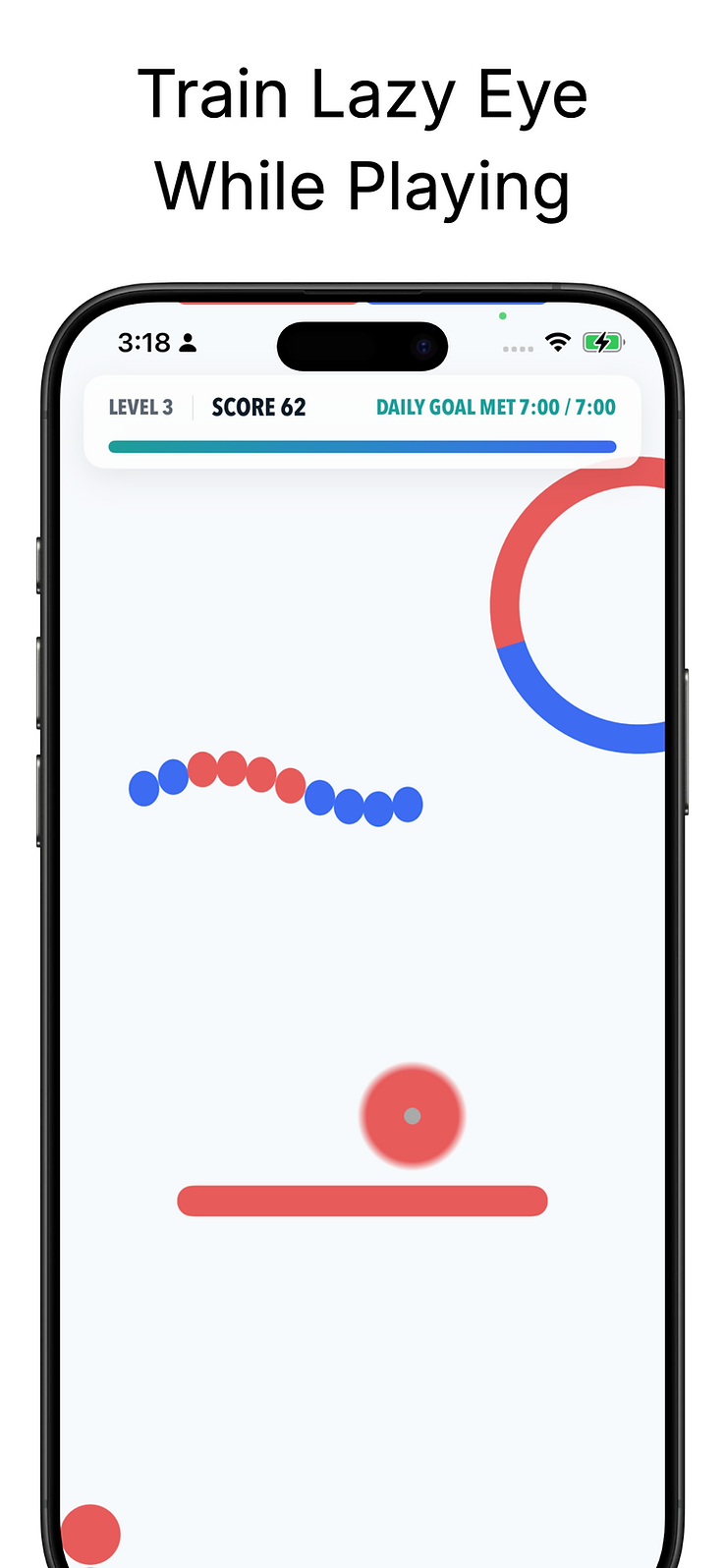
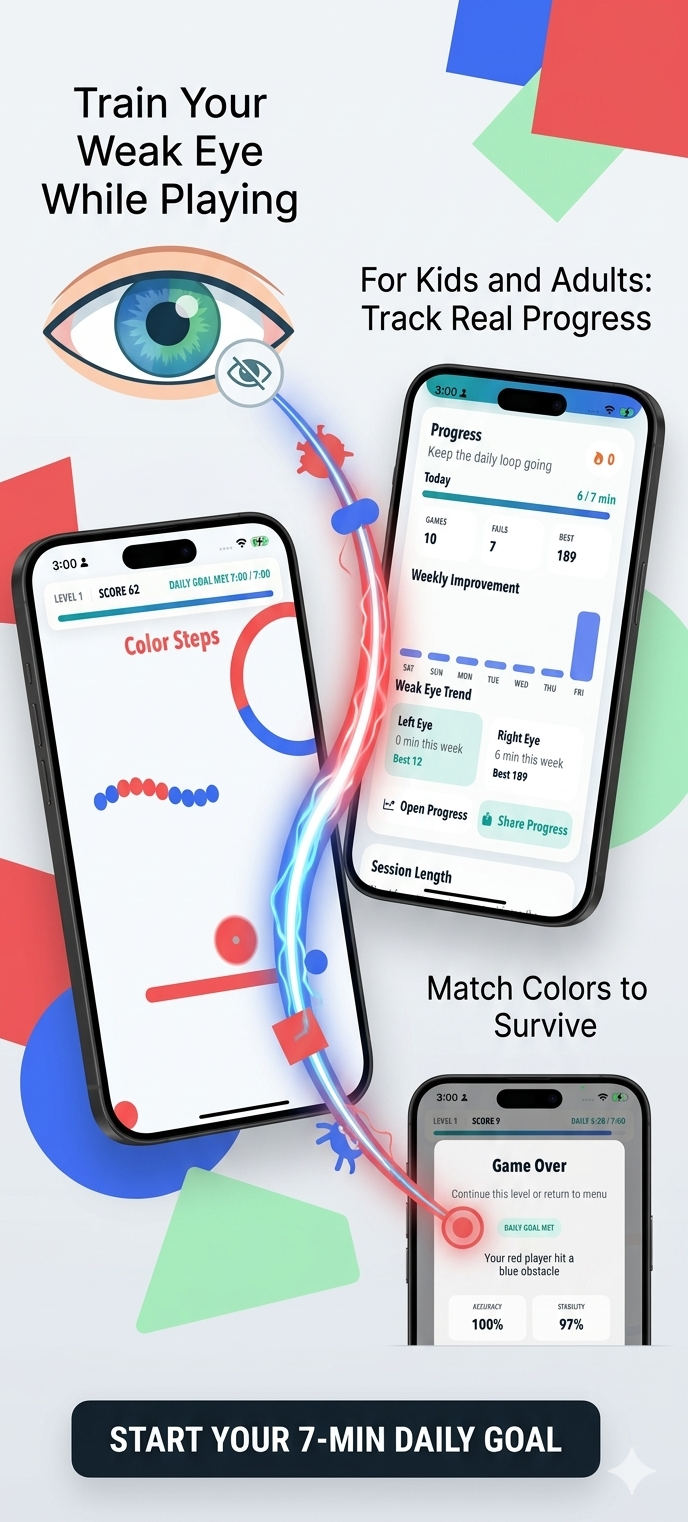
See the app before you download it.
Watch a quick EyeAlign Quest walkthrough.
This page surfaces product media before the store jump so users can understand the experience, controls, and core value before they download.
Features
What the product puts front and center.
Train with short game sessions that encourage repeated use of the weaker eye.
Designed to keep the experience clear, fast to scan, and easy to return to throughout the day.
Switch between left-eye, right-eye, or both-eye play depending on the routine you are following.
Designed to keep the experience clear, fast to scan, and easy to return to throughout the day.
Use color-matching gameplay and progressive difficulty to keep therapy sessions interactive instead of repetitive.
Designed to keep the experience clear, fast to scan, and easy to return to throughout the day.
Support eye and blink detection features during gameplay with camera-assisted interaction.
Designed to keep the experience clear, fast to scan, and easy to return to throughout the day.
Give kids and adults a more approachable routine than traditional patching-only practice.
Designed to keep the experience clear, fast to scan, and easy to return to throughout the day.
Trust
Clear expectations before install.
Presented as a supportive practice tool, not a guaranteed medical fix or replacement for professional care.
Camera-assisted interaction is explained up front because it can matter for privacy-sensitive users and families.
Daily-use positioning should focus on consistency, routine, and comfort rather than medical claims.
Overview
Product story and positioning.
EyeAlign Quest is a vision-training app that turns lazy-eye practice into a short, repeatable game routine instead of a dry checklist. The App Store listing describes it as a supportive tool for both kids and adults with amblyopia or strabismus, using simple color-matching interaction, left-eye or right-eye practice options, and progressively more challenging sessions.
Why people try it first
For many users, surgery may be available, but it is not the first option they feel comfortable with. A lot of people want to begin with something more approachable and non-invasive before making bigger treatment decisions. EyeAlign Quest is built for that mindset: a tool you can actually return to each day, in short sessions, without turning therapy into something intimidating.
The feedback around this kind of training is consistent: people are much more likely to stay with a routine when it feels interactive. EyeAlign Quest makes that easier by turning visual exercises into gameplay, which can help daily practice feel lighter and more sustainable.
Built around consistent daily use
The app focuses on:
- short sessions that are realistic to repeat every day
- gameplay that encourages the weaker eye to stay engaged
- options for left-eye, right-eye, or both-eye training
- a calmer alternative for users who find patching or more invasive paths difficult
That combination makes the product especially useful for people who want a safer-feeling first step, or for families trying to make therapy more approachable for children.
Community perspective
Users who talk about vision therapy often describe the same pattern: they saw better alignment or control only after staying consistent for weeks or months. Some remember earlier routines that involved patching the stronger eye and playing tracking games to keep the weaker eye active. EyeAlign Quest follows that same general idea in a more modern, game-based mobile format.
This page does not present the app as a guaranteed medical fix. It presents it honestly as a supportive tool for building practice, consistency, and confidence.
Watch more
The related YouTube channel is available at EyeAlign on YouTube.
Changelog
Recent product notes.
- Added stronger trust framing, support routing, privacy explanation, screenshots, and video discovery.
- Future app work should prioritize routine tracking, caregiver guidance, and privacy-sensitive onboarding.
Roadmap
Good next improvements.
Progress and streak messaging that helps users maintain short daily practice routines.
Caregiver guidance for setup, session supervision, and when to seek professional advice.
Clearer camera-privacy onboarding before eye or blink detection features are used.
FAQ
Common questions for store and support traffic.
Where can I download EyeAlign Quest?
The official iPhone and iPad listing is on the App Store at the link above.
Is surgery the only option for strabismus or lazy-eye support?
No. Some people prefer to start with non-invasive therapy tools and structured daily practice. EyeAlign Quest is presented as a supportive training app, not a replacement for professional medical advice.
Who is EyeAlign Quest for?
The App Store listing positions the app for both kids and adults who want guided visual training in short, repeatable sessions.
Where can I get support for EyeAlign Quest?
Use the Support page linked from the app page to send questions, bug reports, or general product feedback.
Does EyeAlign Quest have a privacy page?
Yes. A dedicated privacy page is available from the app page and can be used for store-listing requirements.